
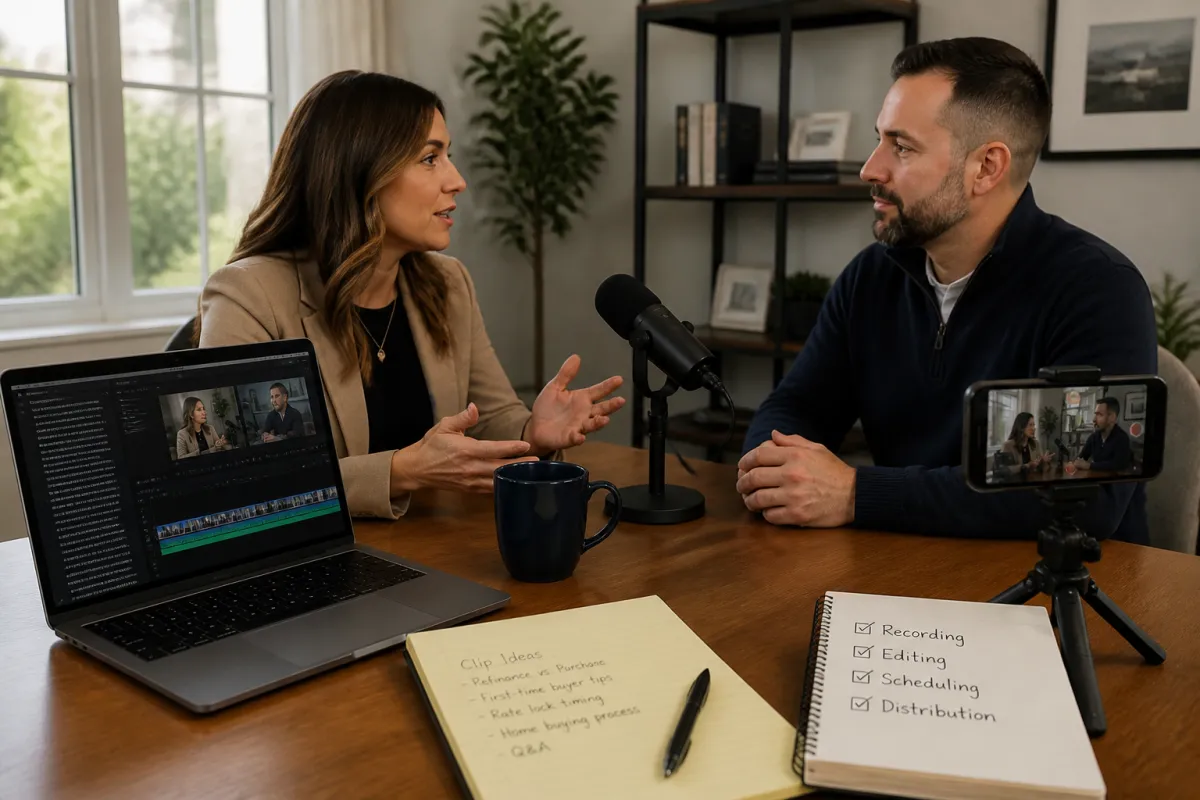
How Realtors Can Repurpose One Long-Form Video Into Short-Form Content
You do not need to create a brand-new idea every day. You need one useful conversation that can keep working after the recording ends.
In Ryan Speltz’s demonstrated workflow, the process is straightforward: record a longer conversation, use editing tools to identify possible short clips, clean up the strongest moments, schedule a primary upload, and distribute the finished content to other connected platforms. The purpose is not to chase a viral score. It is to build a repeatable library of useful answers that helps future clients understand how you think and how you help.
This is a tactical companion to our broader video content strategy for Realtors and loan officers. Use that article for the broader purpose behind useful video. Use this guide when the practical question is: “How do I turn one recording into several usable posts?”
The publishing bottleneck is often the real problem
Ryan’s webinar made an important distinction: recording the content is only one part of the process. The harder hurdle can be turning the recording into clips, captions, descriptions, and scheduled posts without losing the motivation to publish.
A repeatable sequence helps:
- Record one useful long-form conversation.
- Use an editor to identify possible clips.
- Edit for clarity, captions, and framing.
- Write a human description and schedule the primary post.
- Distribute carefully and review the published results.
That does not guarantee a certain number of posts, views, leads, or weeks of content. It simply reduces the amount of work required to publish each individual clip.
Start with a conversation clients would actually want to hear
Long-form content does not have to be a formal solo presentation. Ryan described podcast-style conversations and interviews as a practical way to create useful material without carrying the entire burden of developing and delivering every topic alone.
A real estate agent could use a partner conversation, a buyer-question session, or a discussion about a specific client problem. For example, a Tampa Bay agent might record a hypothetical conversation with a mortgage professional about preparing for a first purchase or understanding the early steps in the buying process. The local example is illustrative; it was not a segment from the webinar.
Three formats that can create usable clips
- Partner interview: Discuss a process clients regularly misunderstand.
- Question-and-answer session: Answer several buyer, seller, or agent questions in one recording.
- Educational conversation: Explore one useful topic in a natural back-and-forth format rather than reading a rigid script.
One technique Ryan recommended was to write down questions you already know how to answer, place them where you can see them, and answer each one as though a person were sitting across the table. That creates natural sections that are easier to identify and repurpose later.
Use the recording setup you will repeat
Ryan demonstrated StreamYard for recording and producing remote conversations, while also noting that Zoom or a phone can be reasonable starting points. The best setup is not necessarily the most elaborate one. It is the setup that removes enough friction for you to use it consistently.
StreamYard currently documents guest invitations, recording workflows, local recordings, and paid multistreaming. Its local-recording feature can create separate participant audio and video files when enabled before the session. Participants should remain available until their local files finish uploading. Plan limits and supported destinations can change, so confirm the current configuration before relying on it. See StreamYard’s local-recording documentation.
StreamYard also documents destination-specific differences, including orientation, account requirements, comments, scheduling, and multistreaming availability. Instagram, TikTok, YouTube, Facebook, LinkedIn, and custom RTMP destinations do not necessarily behave the same way. Review StreamYard’s current multistreaming guidance.
Keep the equipment from becoming the excuse
Ryan emphasized that people can begin with modest equipment. His own webinar workflow used a computer camera and microphone, and he also described phone-based recording as a practical option. Silence notifications or use airplane mode if interruptions are likely. The goal is to make recording easier, not to build a production studio before publishing anything.
Use clip suggestions as a starting point, not as the editor
After recording, Ryan’s process was to upload the raw video to an AI editing platform. The platform could identify possible clips, provide captions, offer vertical layouts, and assign scores to suggested moments.
Those suggestions can reduce the time spent searching through a long recording. They do not determine whether a clip is accurate, useful, complete, or appropriate for a public audience. A score is not a promise of reach, leads, or virality.
Before approving a clip, ask:
- Can someone understand the point without watching the full recording?
- Does the opening provide enough context?
- Is the statement accurate and complete?
- Does the clip preserve the speaker’s actual meaning?
- Would a client recognize it as useful rather than merely promotional?
Short clips do not need excessive effects. A clear vertical layout, readable captions, and an uncluttered presentation may be enough when the underlying conversation is useful.
Edit the transcript without editing out the meaning
Ryan also described using CapCut for transcript-based editing. CapCut currently documents editing spoken content through a synchronized transcript, correcting captions, and identifying filler words or speech gaps. Removing text can remove the corresponding video or audio section, which can be faster than repeatedly scrubbing through a timeline. Availability may vary by device, region, or plan. Read CapCut’s current transcript-editing documentation.
Automatic cleanup still requires judgment. Do not remove every pause or repeated phrase without watching the result. A fast cut can make a speaker sound unnatural, and a shortened answer can lose important context.
This is especially important when a clip touches mortgage or housing topics. A short explanation involving rates, loan programs, down payment, credit, underwriting, affordability, insurance, or eligibility should not imply that every viewer qualifies. Review those clips for accuracy, required disclosures, fair-lending concerns, licensing requirements, and company policy before publishing.
Let the caption create the next conversation
Scheduling software can reduce repetitive publishing work, but it should not remove the human part of the post. Ryan specifically discussed the tension between saving time and keeping personality in the caption.
Use the caption to:
- Add context: Explain who the clip may help and why the point matters.
- Invite a useful response: Ask a question a buyer, seller, agent, or partner can answer.
- Offer a next step: Point to the longer conversation, a related resource, or a direct discussion.
Instead of “Great tips for buyers,” a more useful caption might ask which part of the buying process feels least clear or what question the viewer would want answered in a future conversation.
That turns a published clip into an opening for dialogue. See how Realtors can turn social-media comments into conversations for the next step.
Automate distribution, not accountability
Ryan demonstrated a workflow that used Buffer to schedule a primary YouTube Short, followed by Repurpose.io routes to other connected platforms. The advantage is reducing repeated uploads. The risk is assuming that every destination will receive the content exactly as intended.
Buffer currently lists YouTube Shorts as a supported channel. Publishing behavior can depend on the account, content, and publishing method, so verify whether a post publishes directly or requires a notification-based completion step. Check Buffer’s current YouTube Shorts instructions.
Repurpose.io may support connected distribution workflows, but integrations, destinations, pricing, and automation behavior can change. Confirm the current route before recommending it or building a business process around it. Test one post first, then verify the source, destination, timing, caption behavior, and whether the automation can accidentally trigger itself again. Review Repurpose.io’s current workflow guide.
Ryan’s webinar included a practical warning: an automation loop can publish the same content repeatedly across connected channels. Distribution is useful only when someone remains accountable for checking what actually went live.
A manageable weekly workflow
You do not need to record a new webinar every week. A simple cycle might look like this:
- Choose questions: List questions clients or partners already ask.
- Record: Have one useful conversation or answer several questions in one session.
- Select: Review the suggested clips and keep only the moments that stand on their own.
- Edit: Correct captions, check context, and create a clean format for the intended platform.
- Schedule: Publish to the primary channel and confirm the account-specific workflow.
- Distribute: Use connected tools selectively, then inspect the published result.
- Learn: Save useful comments and recurring questions for the next recording.
If the process feels scattered, map the handoffs before adding more software. Our guide to real estate agent workflow automation explains how to identify the trigger, owner, decision point, exception, and measurable result for a repeated process.
Measure usefulness, not just reach
A repurposing system is working when it makes useful communication easier—not merely when it produces more posts.
- You publish consistently without spending every evening editing.
- Viewers ask more specific questions after seeing your explanations.
- You have relevant clips to send when a client asks a familiar question.
- Partners have a clear reason to collaborate with you.
- Your long-form and short-form content show how you explain complicated topics.
That is the real consequence of the workflow: one thoughtful conversation can become a reusable library of answers, but only if the system preserves context and someone remains responsible for the final judgment.
For guidance on making useful expertise easier for people and answer engines to understand, see how Realtors can create trustworthy content for AI search.
Sources and disclosure
- Ryan Speltz webinar: Kick Butt Mortgage Guy’s Video Production Process
- StreamYard: Local Recording
- StreamYard: Multistreaming
- CapCut: Transcript Editing
- Buffer: YouTube Shorts
- Repurpose.io: Content Repurposing Guide
Disclosure: This article reflects Ryan Speltz’s demonstrated workflow and preferences. It is not a universal requirement, a guarantee of reach or lead generation, or an endorsement of every platform mentioned. Software interfaces, pricing, plan limits, supported destinations, account requirements, and publishing methods can change. Verify current details before adopting a tool or publishing a platform-specific instruction.
Mortgage compliance note: This article describes a content-production process, not mortgage advice. Any clip discussing rates, loan programs, qualifications, down payments, credit, underwriting, affordability, insurance, or other regulated topics should be reviewed for accuracy, required disclosures, fair-lending considerations, licensing rules, and current company compliance standards before publication.